Click here to draw your own path🚶
I drew inspiration from Tobler’s First Law of Geography to create this code, translating the principle of spatial autocorrelation into a simple visual system.
What’s related to what? The mouse and squares are related. A path of the mouse is created by its movement.
How are they related? As the mouse moves across the grid, only the nearby squares change color and hold that memory of contact. Distant squares remain unchanged, untouched by the event. This mirrors Tobler’s idea that near things are more related than distant things.
Here are some steps that I followed to get to the final code.
I set up my canvas to be 500×500 pixels and wanted to divide it into 25 tiles for a checkerboard pattern. Each tile ‘cell’ is 100 pixels, so 5 tiles fit across and 5 tiles fit down. To draw all the squares, I used two for() loops. At the start, i=0 and j=0 mean the counting begins from the first column and first row. The i++ and j++ parts increase the count by 1 each time, so the loops keep moving to the next square until they reach 5. In this way, the loops automatically go through all 25 positions without me having to draw each square one by one.
for (let j = 0; j < 5; j++) {
    for (let i = 0; i < 5; i++) {
    let x = i * cell;
    let y = j * cell; }
    }
At first, I put this code at the draw() loop. However, I could not keep the colored tile stayed as colored.
 if (mouseX > x && mouseX < x + cell &&
     mouseY > y && mouseY < y + cell) {
     fill(255, 0, 0);
     }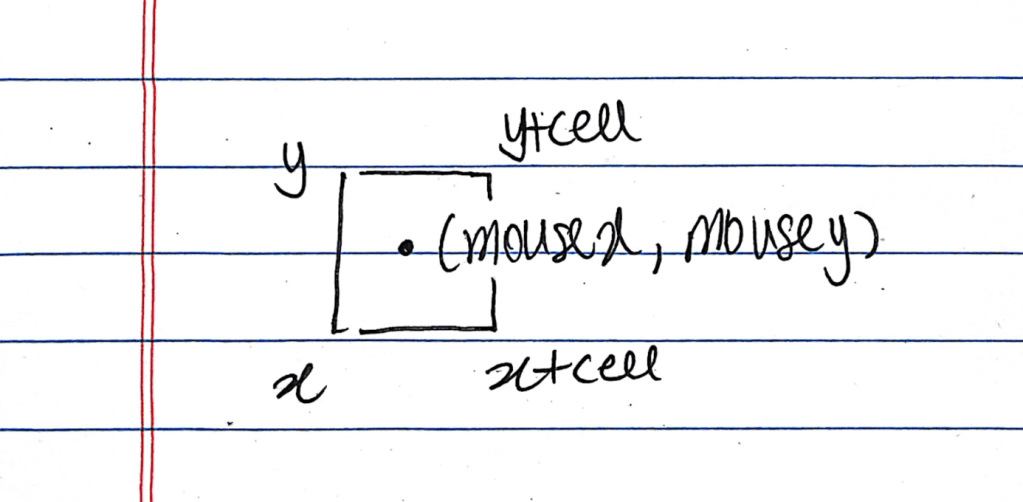
One tile start from (x,y) and the size of this tile is a ‘cell.’ Therefore, the square has a point of x, x+cell, y, y+cell. I drew a simulation to find the mathematics to figure out where the mouse should place into the tile. After this, I could find out the code above. Also, I learned to use ‘&&’ when two or more conditions must all be true at the same time.
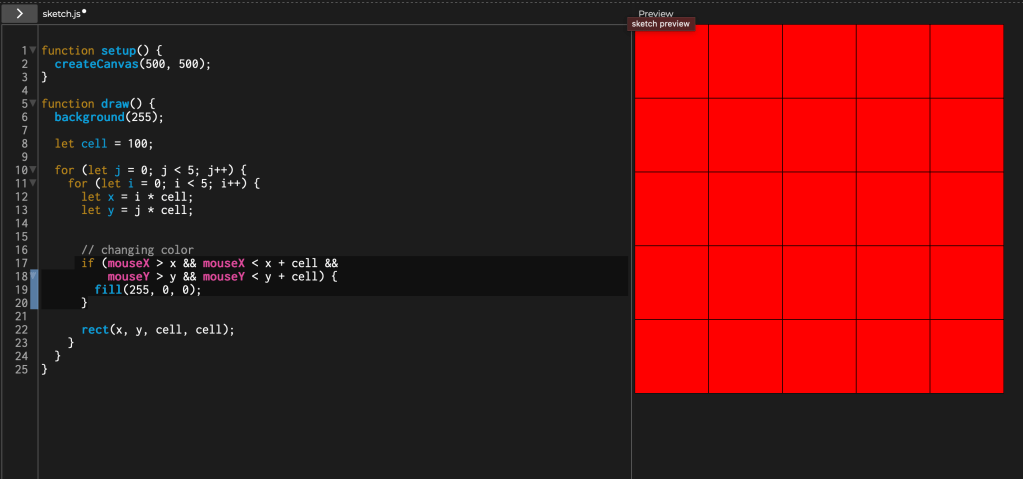
At first I drew the whole checkerboard inside draw(). Because draw() runs 60 times per second, the grid was being repainted in its default colors every frame. That means any square I recolored in the same frame was immediately reset on the next frame and nothing could persist.
To make the color persist, I moved the static part (drawing the base checkerboard) into setup(), which runs once at the start. Then, in draw() I only repaint the single square under the mouse.
let cell = 100;

function setup() {
  createCanvas(500, 500);

  // Checkerboard
  for (let j = 0; j < 5; j++) {
    for (let i = 0; i < 5; i++) {
      let x = i * cell;
      let y = j * cell;
      rect(x, y, cell, cell);
    }
  }
}

function draw() {

  let cell = 100;

  // Paint Color
  for (let j = 0; j < 5; j++) {
    for (let i = 0; i < 5; i++) {
      let x = i * cell;
      let y = j * cell;

      if (mouseX >= x && mouseX < x + cell &&
        mouseY >= y && mouseY < y + cell) {
        fill(255, 0, 0);
        rect(x, y, cell, cell);
      }
    }
  }
} ITP BLOG