Q: why do I need external serial monitor?
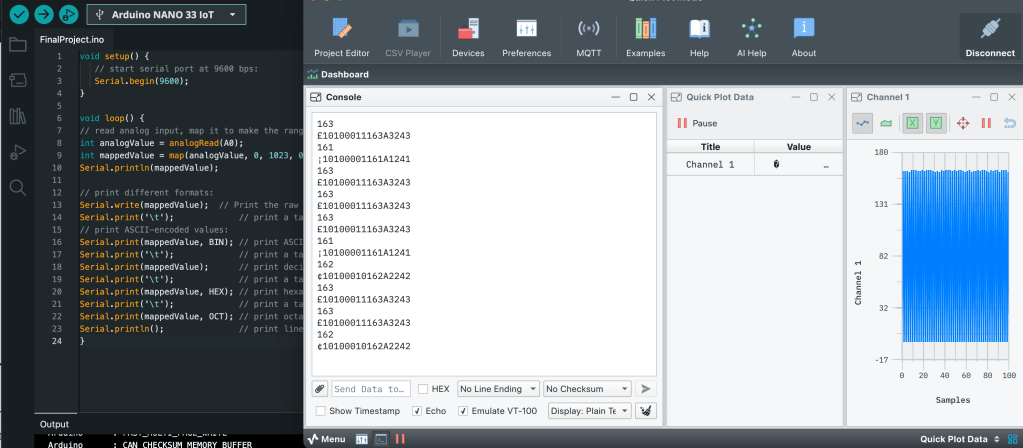
Q: What is a purpose of checking binary, hexadecimal, octane values?
- Serial Plotter
Serial.write() – sending binary value (numbers) / Serial.println() – sending letters (ASCII)
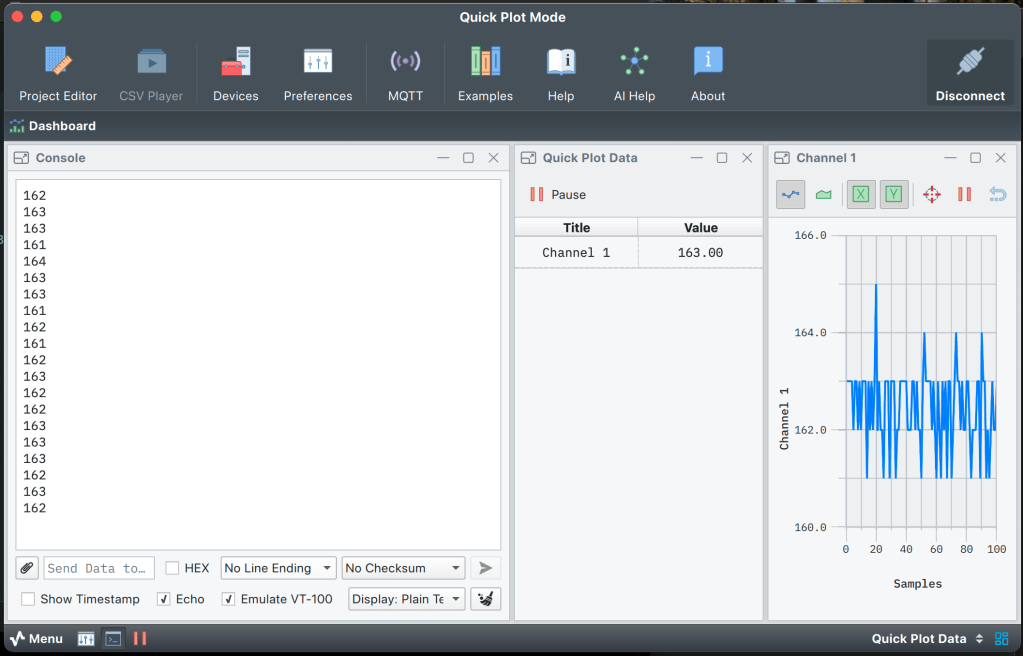
I used Serial Studio Pro to see the detail of serial plot/data at once.
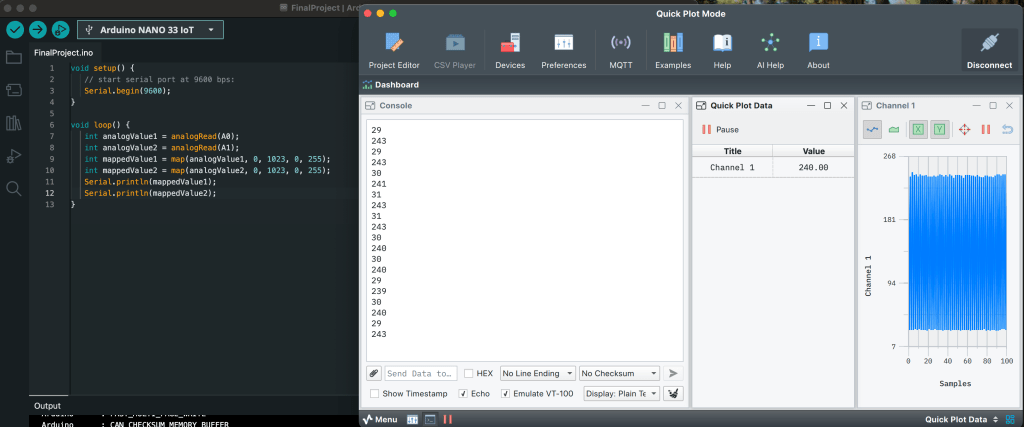
I put both analog values separately using integer. Then, the console gave me two different values in a row. The graph goes very wild with two values. Even though I have two values, I only got one channel.
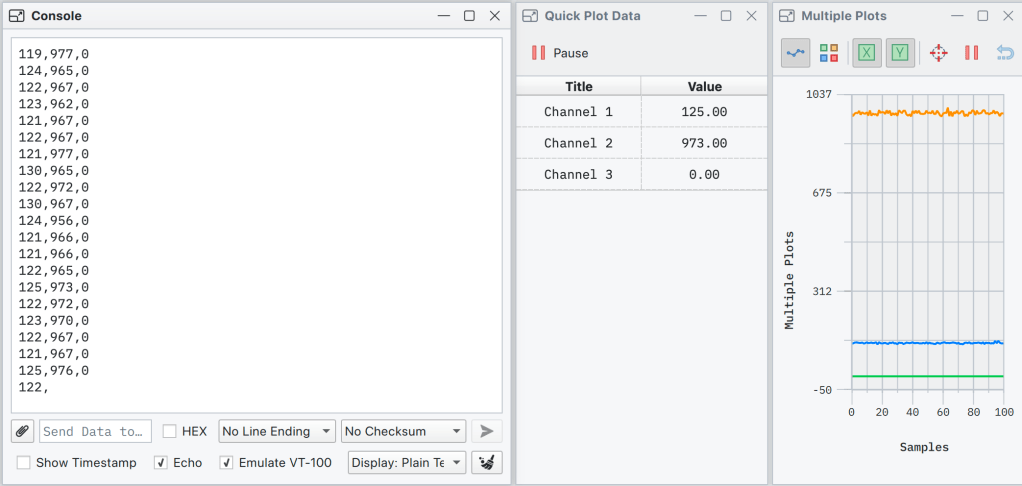
Finally I could separate channels with different values. The different between the code that I used before is removing map syntax and putting in Serial.print(sensorValue). Is this a key to have separate channels for each value?
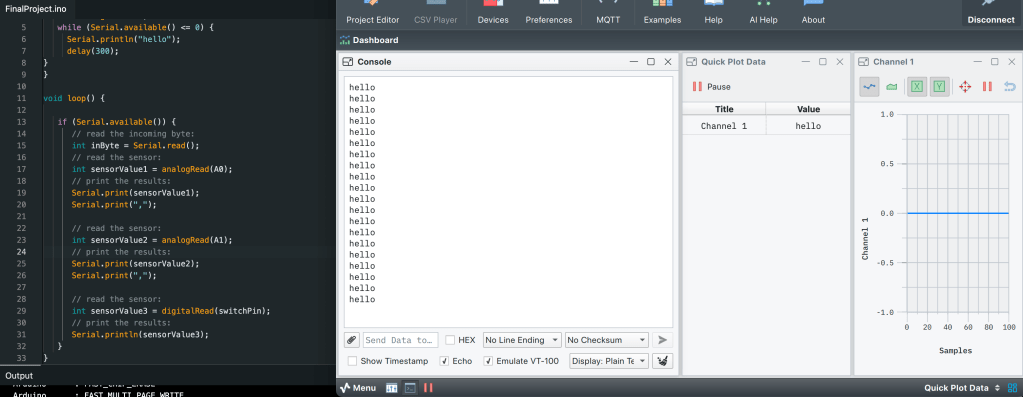
After I send the code, I got bunch of “hello” on the monitor. Then I typed in “20” and this is what I got from it.
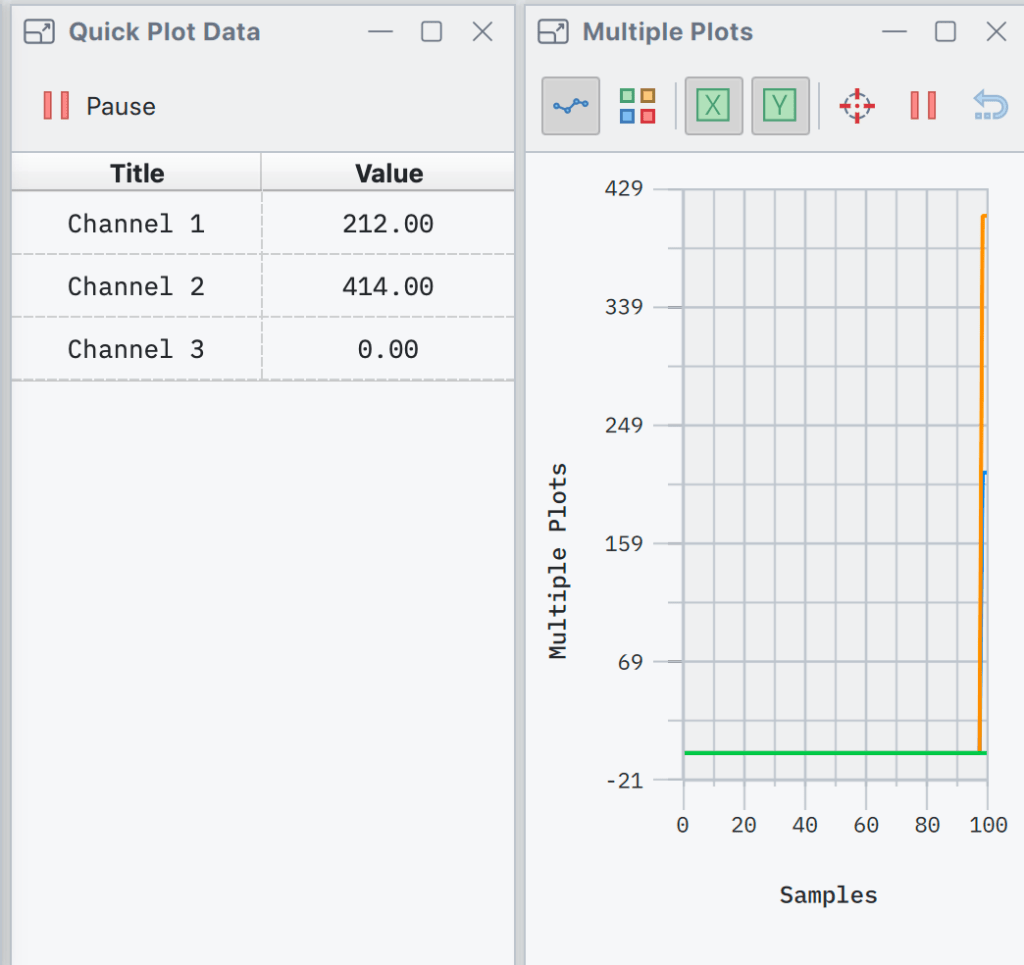
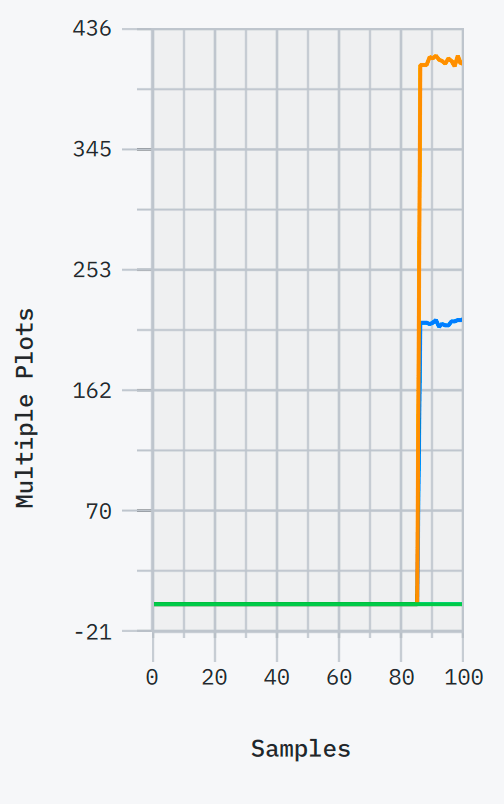
When I put in numbers it starts to create graphs according to the output values.
 ITP BLOG